
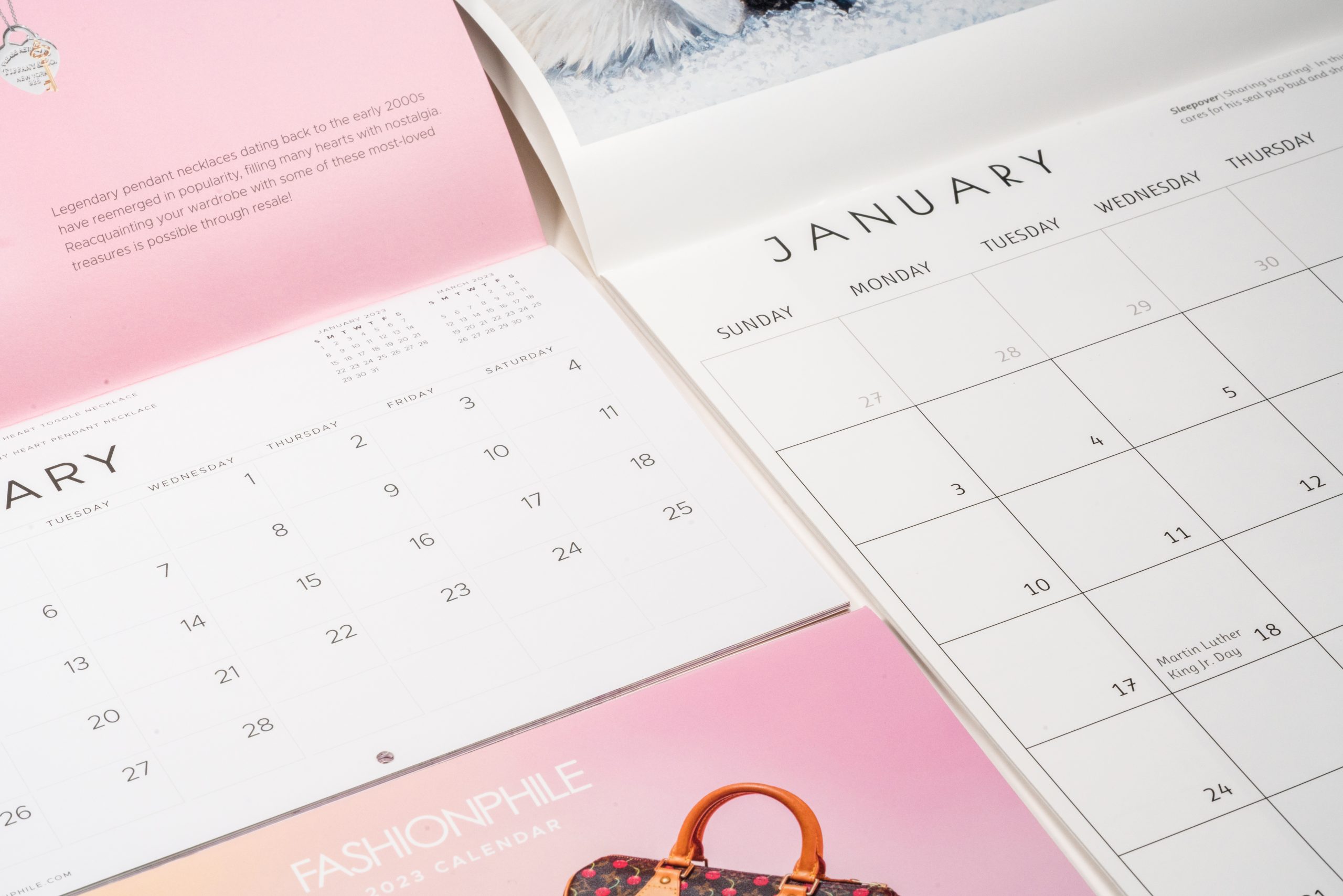
Learning how to make and print your own calendar helps you create a print piece people can use all year, from family gifts to business promotions, school projects, fundraisers, artist collections, and branded customer mailers.
The best calendar projects start with practical decisions before design begins. Size, paper choice, image quality, binding, order quantity, and proofing all shape the finished result. With a plan in place, you can avoid common print problems and create a calendar that looks professional from the cover through the final month.
How To Design Your Own Calendar: Start With A Clear Purpose
Before opening a calendar design template or gathering photos, define the goal of the project. Purpose influences the practical decisions behind the calendar, including format, paper, design style, quantity, budget, and production timeline.
A personal calendar has different needs than one created for retail sales. A business calendar should give people a reason to keep it on a desk or wall. A fundraising calendar may need sponsor space, community dates, and time for pre-sales.
Personal Calendars
Personal calendars often feature family photos, pets, weddings, travel memories, kids’ artwork, milestone birthdays, anniversary dates, or family traditions. For this type of personalized calendar, image selection usually drives the design.
Business Calendars
Business calendars can work as customer gifts, office calendars, direct mail pieces, seasonal campaign tools, or branded giveaways.
The most effective business calendars earn their place by helping the recipient plan, remember key dates, or reference useful information. Seasonal reminders, attractive photography, industry dates, planning space, and concise tips can make a calendar worth keeping. A calendar covered in sales copy is easier to discard.
Fundraising Calendars
Fundraising calendars work well for schools, animal rescues, churches, clubs, sports teams, nonprofits, and community groups. These projects often need extra planning because photos, sponsor names, event dates, and custom messages may come from several people.
Choose The Right Calendar Type
Custom calendar printing comes in several formats. The right choice depends on how people will use the calendar, where it will be displayed, how much content you need to include, and how refined the finished piece should feel.
Wall Calendars
Wall calendars are one of the most popular choices for photo calendars, art calendars, family gifts, office use, and business promotions. They give you room for larger images and a monthly grid, making them a smart option when visuals are central to the project.
Common wall calendar sizes include 8.5 x 11, 11 x 17, and 12 x 12.
An 8.5 x 11 calendar can be cost-effective and easy to mail. An 11 x 17 calendar gives more room for a large image and readable monthly grid. A 12 x 12 calendar can feel more premium, especially for artwork and photography.
Desk Calendars
Desk calendars are ideal for compact spaces, business giveaways, corporate gifting, and customer appreciation campaigns. Since they sit close to the user, they can keep your brand visible throughout the year without taking up much space. A desk calendar may use a tent-style format, small monthly cards, or a bound flip format.
Poster Calendars
Poster calendars show the full year on one sheet. They work well for academic schedules, event calendars, annual campaign planning, nonprofit timelines, office reminders, and budget-conscious projects. Since space is limited, they’re better for quick reference than detailed planning.
Planner-style Calendars
Planner-style calendars include more writing room, notes pages, weekly layouts, or project planning sections. They’re useful for schools, internal teams, clubs, event organizers, and businesses that need more than a basic month-at-a-glance layout. Because they include more pages, production decisions around binding, paper weight, writability, and page count become more important.
Pick Your Calendar Size Before You Start Designing
Size affects image cropping, grid readability, mailing cost, production cost, paper choice, and how people interact with the finished piece. A smaller calendar can be affordable and easy to distribute, but it may limit writing space. A larger calendar can showcase photography or artwork more effectively, but it can cost more to print and ship.
| Size | Best For | Watch Out For |
| 5 x 7 desk calendar | Giveaways, small spaces, compact monthly reminders | Limited room for notes or detailed dates |
| 8.5 x 11 wall calendar | Personal calendars, small runs, simple business promotions | Photos may need careful cropping |
| 11 x 17 wall calendar | Photo-led layouts with monthly grids | Higher print and mailing costs |
| 12 x 12 wall calendar | Art calendars, photography, retail products | May need custom specs or specialty templates |
If you plan to mail your calendar, ask about postage requirements and packaging options before committing to a larger format. Mailing costs can change the budget quickly, especially for business promotions or fundraiser distribution.
Gather Photos, Artwork, Dates, And Brand Assets
Once the format and size are set, gather everything that needs to appear in the calendar. Create folders for final images, logos, sponsor files, monthly notes, proofing documents, print-ready exports, and any reference materials your calendar may need.
Most monthly calendars need at least 12 images, plus a cover image. Choose images that work together visually. They don’t need to look identical, but they should feel related through color, lighting, style, subject, or seasonal flow.
For photo calendar printing, avoid screenshots, small web graphics, images pulled from social media, and files that have been compressed several times. These often look fine on screen but soft or pixelated in print.
Custom dates can make a calendar more valuable. Personal calendars could include birthdays, anniversaries, trips, school breaks, or family traditions. Business calendars may include product launches, seasonal promotions, industry events, tax reminders, conference dates, or customer deadlines.
A simple month-by-month plan can help you spot gaps before design begins. List the month, image or theme, key dates, caption or quote, and any promotional message.
For business calendars, keep the promotional content useful and restrained. A monthly tip, QR code, planning reminder, or small offer can work well. Too much sales copy can make the calendar less appealing to keep.
Choose A Calendar Design Method
There are several ways to create a calendar, from beginner-friendly templates to fully custom design.
A calendar design template
A calendar design template is a good choice for beginners, quick projects, and simple photo calendars. Templates can help with layout, date grids, image placement, spacing, and basic production setup.
You can find templates in tools such as Canva, Adobe Express, Adobe InDesign, Photoshop, and printer-provided resources. Templates are convenient, but they still need careful review. Check bleed, margins, image resolution, fonts, and export settings before sending files to print.
A calendar creator tool
A calendar creator tool can be the fastest option for simple projects. These tools usually let you upload images, add dates, choose a format, and order prints from the same platform. This works well for personal calendars and small gifts.
It may be limiting for businesses, artists, or designers who need exact brand colors, custom grids, special paper, or more control over print production.
Designing from scratch
Designing from scratch is best for experienced designers, agencies, artists, and brands with specific layout needs. This approach gives you more control over typography, grid structure, image treatment, spacing, and production details. Adobe InDesign is often a good choice for multi-page calendar layouts.
Hiring a designer can be a smart investment if the calendar will be sold, mailed to customers, used as a premium gift, or tied to a larger campaign. A professional designer can help create a clean layout, manage brand consistency, and prepare print-ready files.
Set Up Your Calendar File For Printing
A calendar may look finished on screen, but print requires extra setup details that help the design trim, bind, and reproduce correctly.
Bleed
Bleed is the extra artwork that extends beyond the final trim edge. It prevents thin white edges from appearing if the paper shifts slightly during trimming. The safe area is the space inside the trim edge where important text, logos, dates, and key image details should stay.
Anything too close to the edge may be trimmed or feel crowded. For calendars, also pay attention to the binding edge, drill hole, hanger loop, or tent base.
Images at 300 dpi
For best print quality, use images at 300 dpi at final print size. This is especially useful for photo-heavy designs, art calendars, retail products, and premium business gifts. A low-resolution image may appear sharp on a screen but print blurry, pixelated, or flat.
CMYK Files
Commercial printers may request CMYK files, print-ready PDFs, or specific color settings. Some workflows accept RGB files and convert them during production, but that can shift colors. If color accuracy is a priority, especially for artwork, product photography, or brand colors, talk with your printer before exporting.
Fonts
Fonts can change if the printer’s system doesn’t have the typeface used in your design. To prevent this, embed fonts when exporting your PDF or outline fonts when appropriate. This is especially important for calendars with many dates, sponsor names, captions, or small labels.
Print Ready Files
Most commercial printers prefer a print-ready PDF. A print-ready calendar file should include the correct size, bleed, high-resolution images, embedded or outlined fonts, and any printer-specific settings. Name files clearly, such as 2027-wall-calendar-final-print.pdf or business-desk-calendar-proof-v2.pdf.
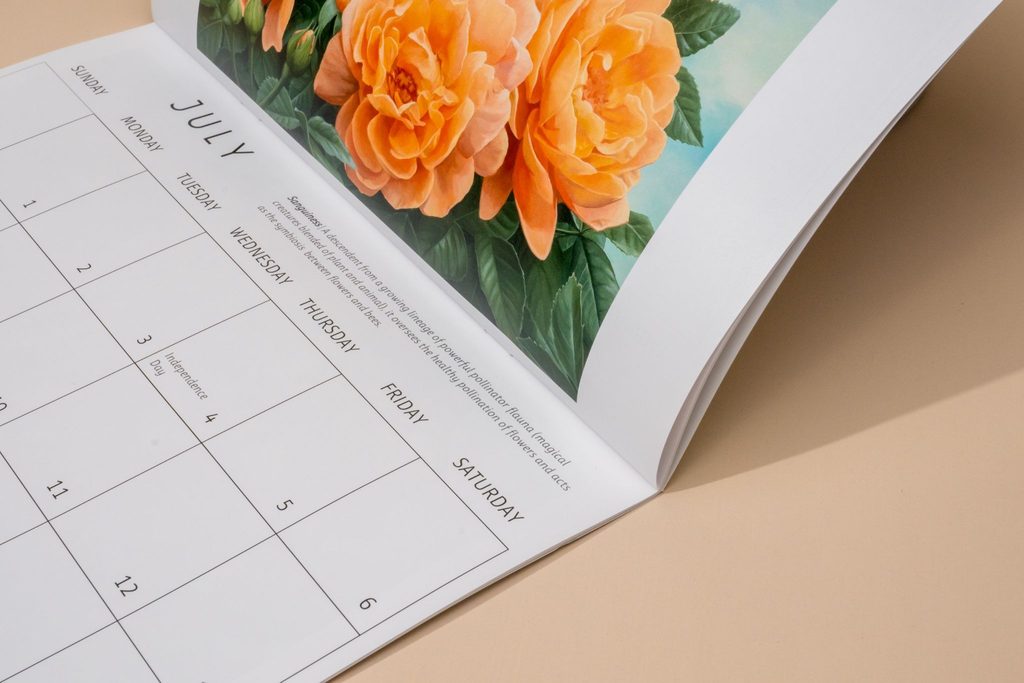
Choose Paper, Finish, And Binding
Paper and binding choices shape how the calendar looks, feels, and functions.
Lighter paper can help reduce cost and mailing weight. Heavier paper gives the piece a more substantial feel and may be better for retail calendars, art calendars, or premium business gifts. For wall calendars, the paper should be sturdy enough to hang cleanly without feeling flimsy.
Paper Coating
- Coated paper has a smoother surface and can make images look sharper or more saturated. It’s often used for photography, artwork, and polished promotional pieces.
- Uncoated paper has a more natural feel and is easier to write on, making it a good choice for planning calendars, eco-conscious brands, and designs with a softer visual style.
Paper Finish
- A matte finish reduces glare and creates a clean, easy-to-read surface.
- Satin offers a subtle sheen that works well for many photo and business calendars.
- Gloss can add shine and contrast, especially for image-heavy designs, though it may show fingerprints and glare more easily.
Binding
Binding affects appearance and usability.
- Wire-O binding is common for wall calendars because pages turn easily and lay flat.
- Saddle stitching may work for simpler folded calendars with fewer pages.
- Spiral bound calendars offer easy page turning but has a different look than wire-O.
In addition to appearance and cost, paper choice is one of the clearest ways to align a calendar project with sustainability goals. For many Greener Printer customers, recycled paper can support both quality and eco-conscious decision-making.
Proof Your Calendar Before Ordering
Proofing is one of the most valuable steps in calendar printing. Date errors, spelling mistakes, and layout issues can be expensive to fix after production begins.
Check the first day of each month, day and date alignment, leap years, holidays, and custom dates.
Review names, business titles, sponsor listings, URLs, QR codes, captions, product names, and contact information. These details are easy to overlook because they’re often small. For fundraising calendars, ask each sponsor or featured group to approve their listing before printing.
Look closely at edges, binding areas, drill holes, hanger loops, and page folds. Make sure no dates, logos, faces, captions, or sponsor details sit too close to the trim. A second reviewer can also catch mistakes you’ve stopped seeing.
Common Calendar Printing Mistakes To Avoid
Many calendar problems are preventable with the right planning. Before sending your file to print, check for these common issues:
- Using low-resolution images that look blurry in print
- Starting the design before choosing the final size
- Forgetting bleed
- Placing text too close to the trim edge or binding
- Using tiny fonts in the date grid
- Choosing glossy paper when people need to write on the calendar
- Ordering too late for holiday gifting or annual promotions
- Skipping a printed proof
- Forgetting to account for shipping time
- Printing too many calendars for resale without confirmed demand
- Mixing horizontal and vertical images without a layout plan
- Leaving brand contact information off promotional calendars
- Adding QR codes without testing them
- Using a calendar template without checking printer specs
An experienced print partner can help identify production concerns before the project moves forward. If you’re unsure about file setup, paper, binding, or quantity, just reach out and we can help.
Get Expert Support For Custom Calendar Printing
A custom calendar may look simple at first, but the best versions are planned with intention. Purpose, size, images, paper, binding, and proofing all shape how the finished calendar looks and how people use it.
Greener Printer helps businesses, artists, nonprofits, and creative teams produce high-quality printed pieces with more sustainable print options.
If you’re planning a calendar printing project, Greener Printer can help you compare formats, recycled paper options, file setup, binding choices, and production timelines so your finished calendar looks professional and supports your print goals from the start.
FAQs About Making And Printing Your Own Calendar
What is the best size for a custom calendar?
The best size depends on how the calendar will be used. A 5 x 7 desk calendar works well for compact giveaways. An 8.5 x 11 wall calendar is practical for personal calendars and small runs. An 11 x 17 wall calendar gives more room for images and monthly grids. A 12 x 12 calendar is a good option for art and photography projects.
Can I make a calendar in Canva?
Yes, Canva can work well for simple personal calendars, small business projects, and quick designs. Use a calendar template that matches your intended size, then export the final file according to your printer’s specs.
What paper is best for a calendar?
The best paper depends on the calendar’s purpose. Photo-heavy calendars often benefit from coated paper that supports sharp images and rich color. Planning calendars may work better on uncoated paper because it’s easier to write on.
Can I sell custom calendars?
Yes. Artists, photographers, nonprofits, schools, and small businesses can sell custom calendars online, in shops, at markets, through fundraisers, or as part of seasonal campaigns. Print-on-demand can reduce upfront risk, while bulk calendar printing can improve margins when demand is predictable.
Ready to bring your project to life? Greenerprinter offers a full range of sustainable printing options. Explore some of our most popular products: